Before
- Another call
- Another video
- Separate screenshots
- A rebuilt answer
Loading page
Preparing Product Demos data and workspace.
Self-guided customer onboarding for B2B SaaS
Quickly turn common setup tasks into reusable step-by-step guides. Capture a browser workflow, add clear instructions, and share a link or embed the guide — instead of repeating the same screen share.
Free plan. Up to 3 published demos. Capture with Chrome.
RECOGNIZE THE PATTERN
A familiar setup question can trigger another screen share, video, or set of screenshots—even when the workflow has already been explained.
The customer still needs a focused reference for the workflow you discussed.
Your team prepares the same standard explanation for another person.
A short answer needs visual context, so someone assembles it again.
REUSE THE EXPLANATION
Turn one standard browser task into a guided sequence your team can review, update, and share again.
Before
After
FROM CAPTURE TO PUBLISH
Capture the task, clarify each screen, and publish a guide customers can revisit.
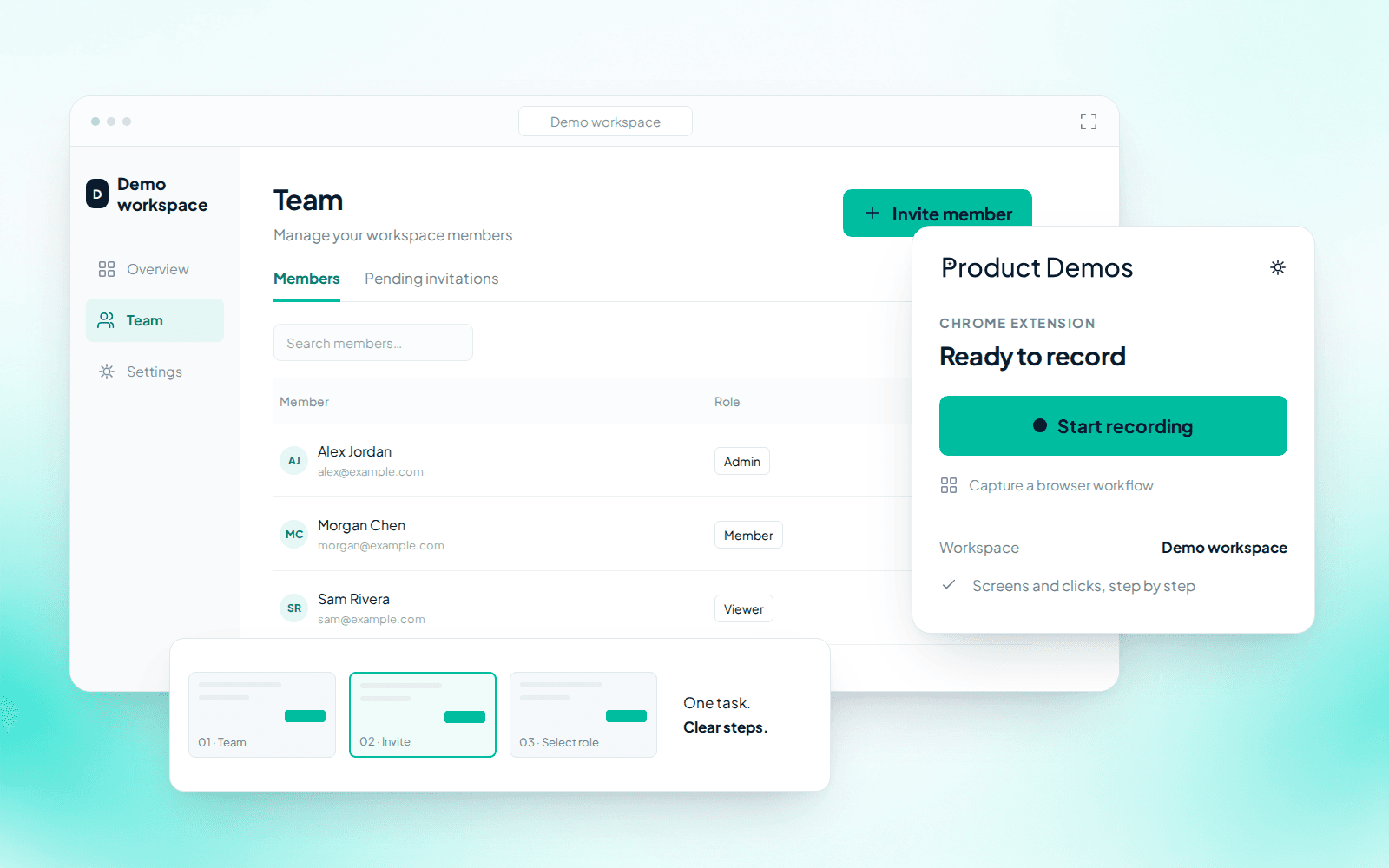
Capture
Use the Chrome extension to record the screens and clicks behind one customer question.
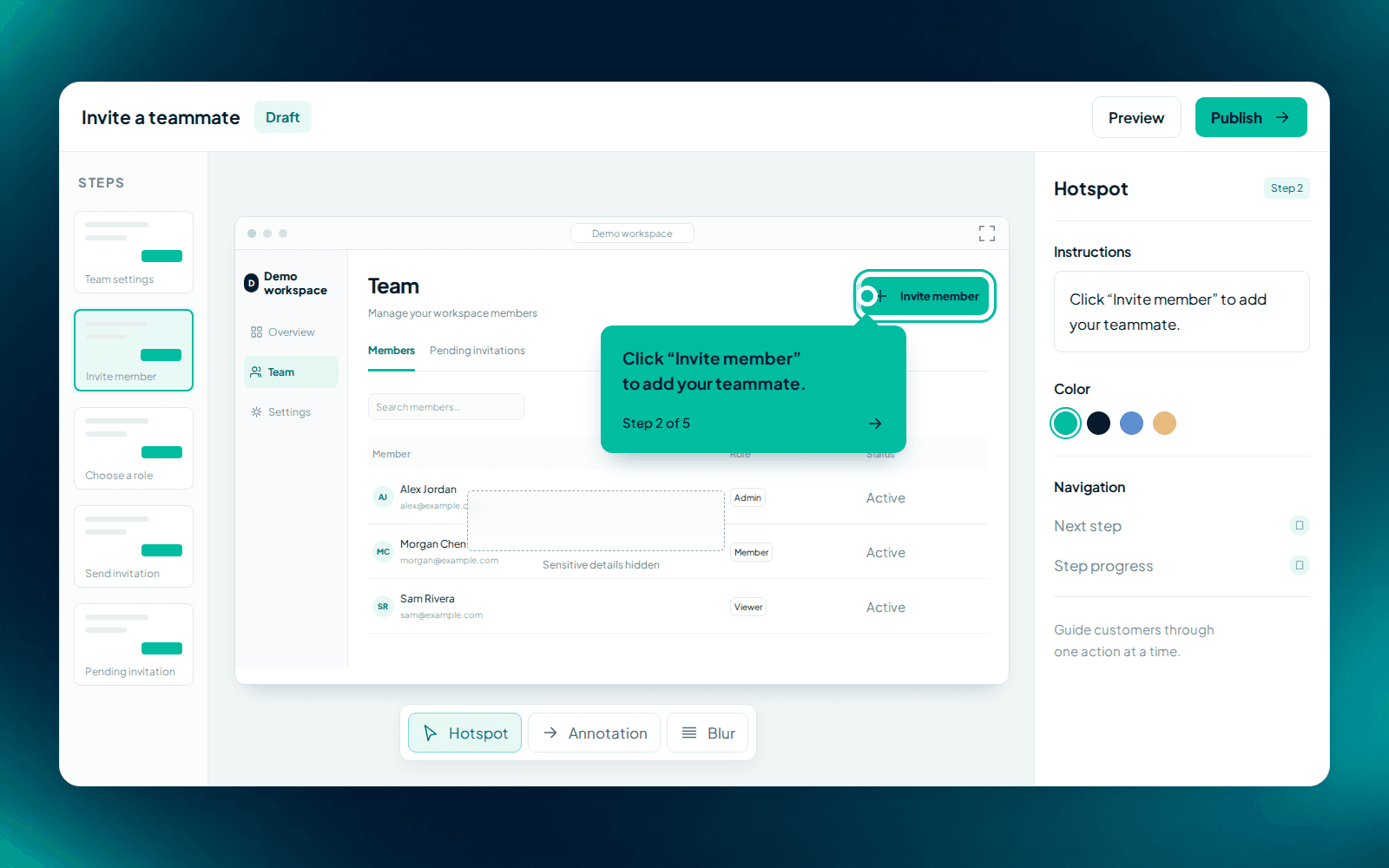
Guide
Edit the instructions, add hotspots and annotations, and blur details you should not show.
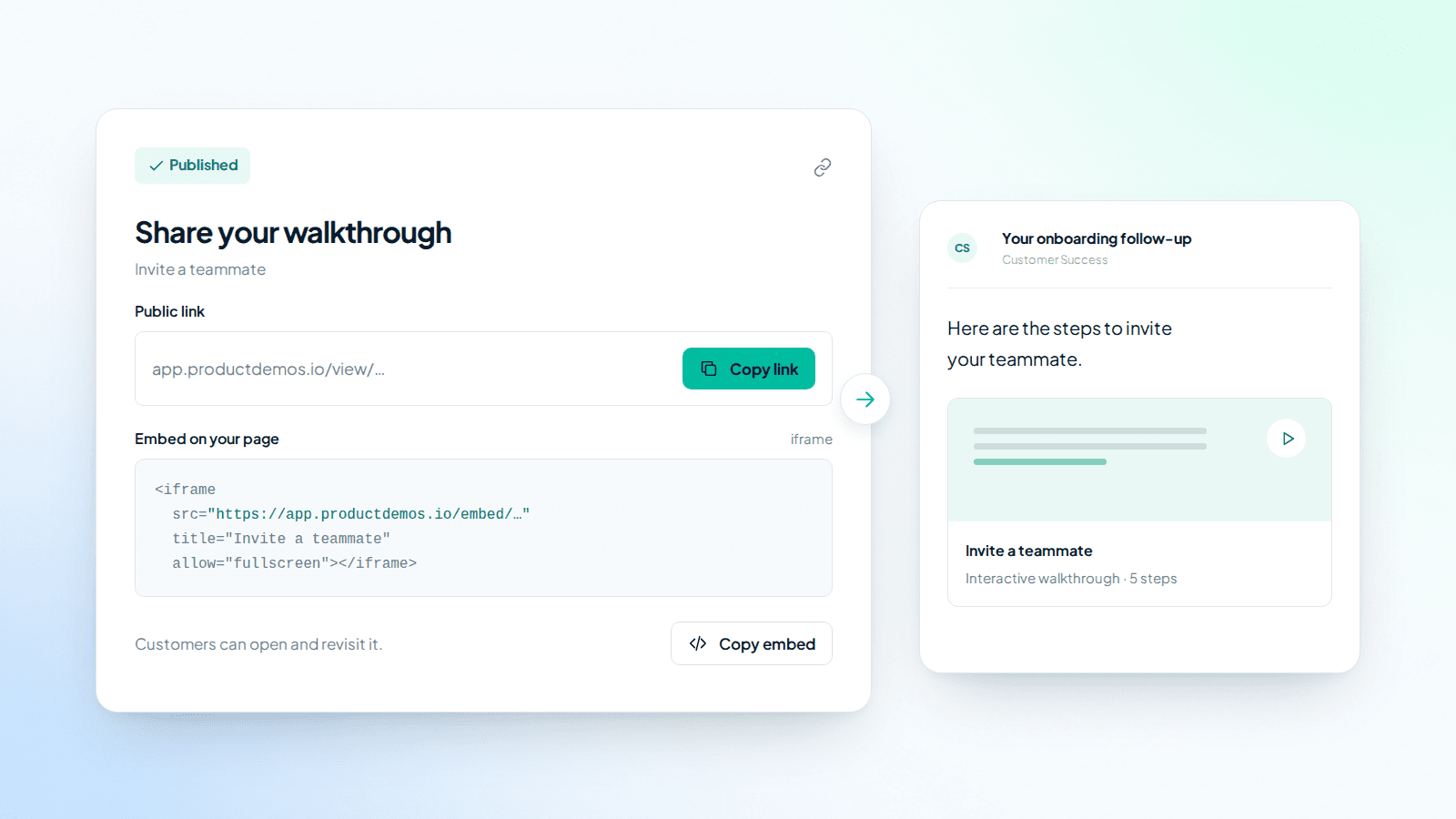
Publish
Publish a link for follow-up or embed the walkthrough on a compatible page.
CUSTOMER SUCCESS USE CASES
Choose a focused task that comes up across onboarding, customer education, or support.
AFTER YOU SHARE
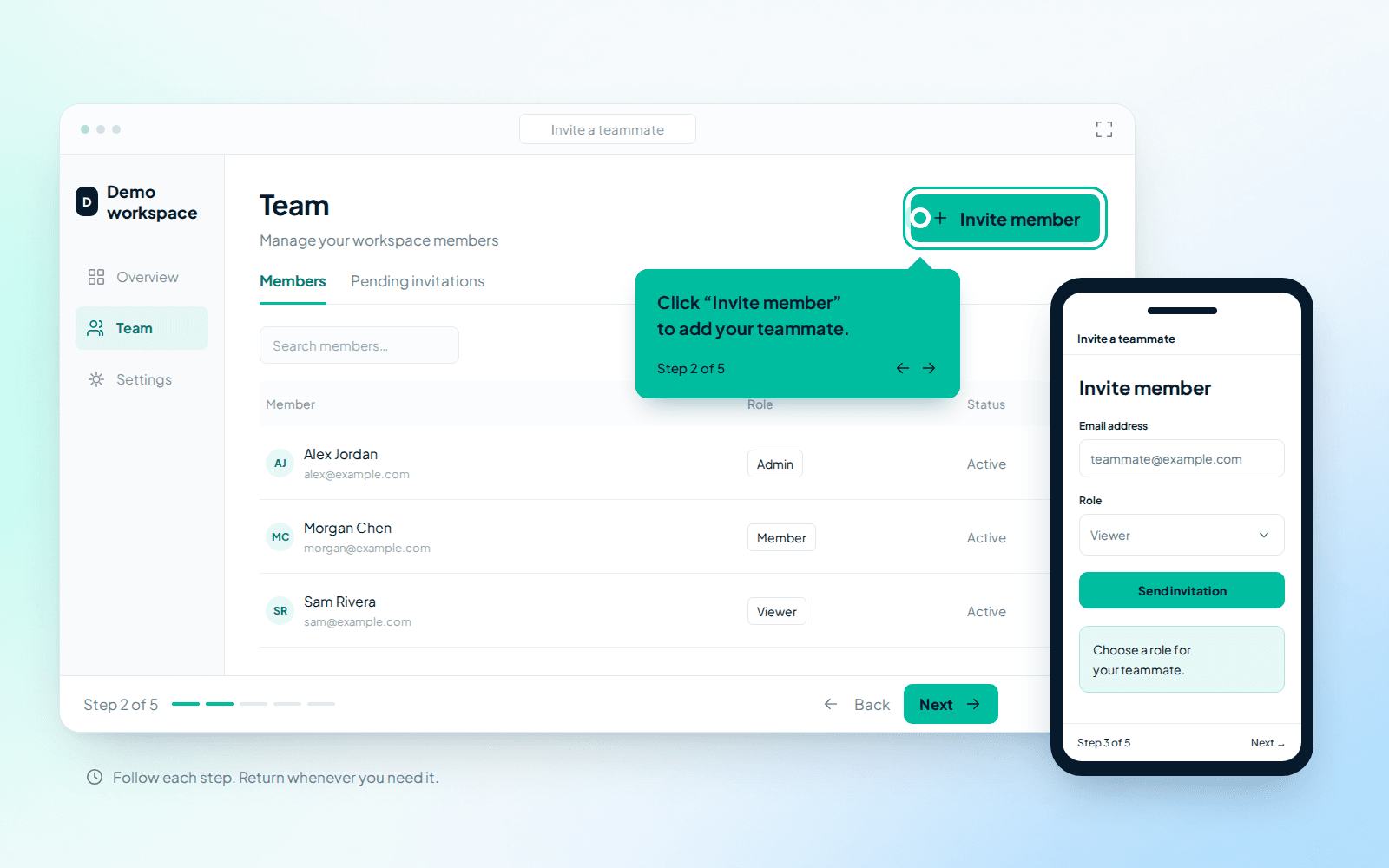
The self-guided player keeps the explanation together; engagement signals help you spot guides worth reviewing.
Customers move screen by screen at their own pace instead of searching through a recording.
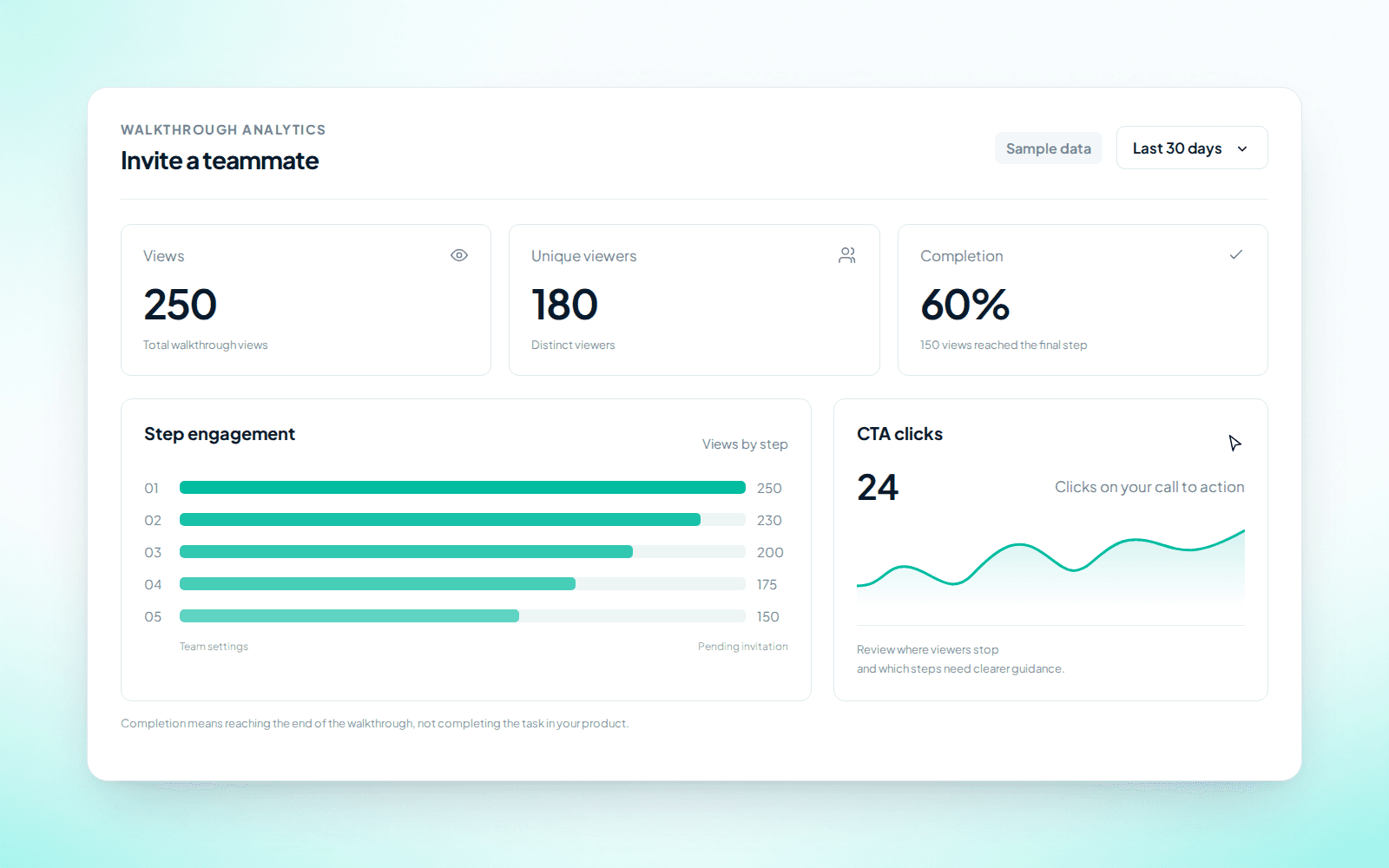
Use viewing signals to decide which explanation needs a closer look.
Views, completion, and step engagement show how people use the walkthrough—not whether they completed the task in your product.
CHOOSE THE RIGHT FORMAT
Product Demos complements—not replaces—your help center, support team, and customer conversations.
The task is visual, repeatable, and follows a stable sequence.
The answer depends on the customer’s goals, account, or judgment.
Customers need background, policy, or several related paths.
FAQ
Practical answers about creating, sharing, and measuring a walkthrough.
A walkthrough connects instructions and hotspots to each captured screen, so viewers move at their own pace instead of following a video timeline.
No. It explains a workflow visually; customers still complete the actual task in your product.
Yes. Share a public link or embed the walkthrough where your help center supports iframes.
No code is needed to capture and edit a walkthrough. Embedding may require access to your website or help center.
You can blur captured details. Use test data when possible and review every screen before publishing.
Review views, completion, CTA clicks, and step engagement to understand how the walkthrough is used.
Yes. The free plan includes up to 3 published demos.
Turn a common setup task into a step-by-step guide customers can revisit. Reuse it instead of repeating the same screen share.
Free plan. Up to 3 published demos. Capture with Chrome.